HOME WALLBOX FOR ELECTRIC CARS

HOME WALLBOX FOR ELECTRIC CARS

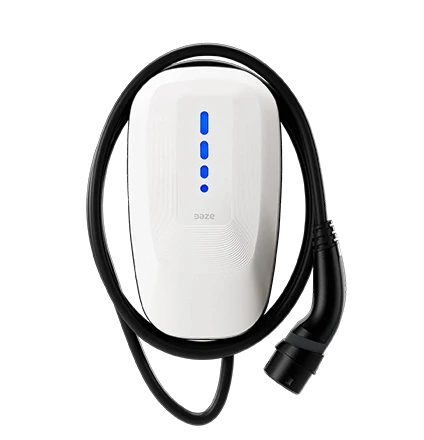
Dazebox One

Dazebox One

Simple, connected and smart EV charging. For homes and small apartment buildings.
Simple, connected and smart EV charging.
For homes and small apartment buildings.
Simple, connected and smart EV charging. For homes and small apartment buildings.
Detached house with a Daze Dazebox One wallbox on the wall next to the garage door
Detached house with a Daze Dazebox Home wallbox on the wall next to the garage
Modern apartment building with Daze charging stations on pedestals in the car park
At home

Do you have a garage or a private parking space? With Dazebox One you can schedule charging, manage it from the app and use the surplus energy from your solar system thanks to Self-consumption mode.

In the condominium

Thanks to multi-device Load Balancing, Dazebox One can coordinate up to 8 chargers and distribute the available power across several charging points. Everything is managed from the app or the web portal.

Detached house with a Daze Dazebox One wallbox on the wall next to the garage door
Detached house with a Daze Dazebox Home wallbox on the wall next to the garage
Modern apartment building with Daze charging stations on pedestals in the car park
At home

Do you have a garage or a private parking space? With Dazebox One you can schedule charging, manage it from the app and use the surplus energy from your solar system thanks to Self-consumption mode.

In the condominium

Thanks to multi-device Load Balancing, Dazebox One can coordinate up to 8 chargers and distribute the available power across several charging points. Everything is managed from the app or the web portal.

Detached house with a Daze Dazebox Home wallbox on the wall next to the garage
Modern apartment building with Daze charging stations on pedestals in the car park

Home

Condominium

At home

Do you have a garage or a private parking space? With Dazebox One you can schedule charging, manage it from the app and use the surplus energy from your solar system thanks to Self-consumption mode.

In the condominium

Thanks to multi-device Load Balancing, Dazebox One can coordinate up to 8 chargers and distribute the available power across several charging points. Everything is managed from the app or the web portal.

Detached house with a Daze Dazebox Home wallbox on the wall next to the garage
Modern apartment building with Daze charging stations on pedestals in the car park

Home

Condominium

At home

Do you have a garage or a private parking space? With Dazebox One you can schedule charging, manage it from the app and use the surplus energy from your solar system thanks to Self-consumption mode.

In the condominium

Thanks to multi-device Load Balancing, Dazebox One can coordinate up to 8 chargers and distribute the available power across several charging points. Everything is managed from the app or the web portal.

Wallbox installation carried out by a Daze certified installer
We install it for you

After a free site survey, our certified installation partners will take care of installing your new Dazebox One.

Wallbox installation carried out by a Daze certified installer
We install it for you

After a free site survey, our certified installation partners will take care of installing your new Dazebox One.

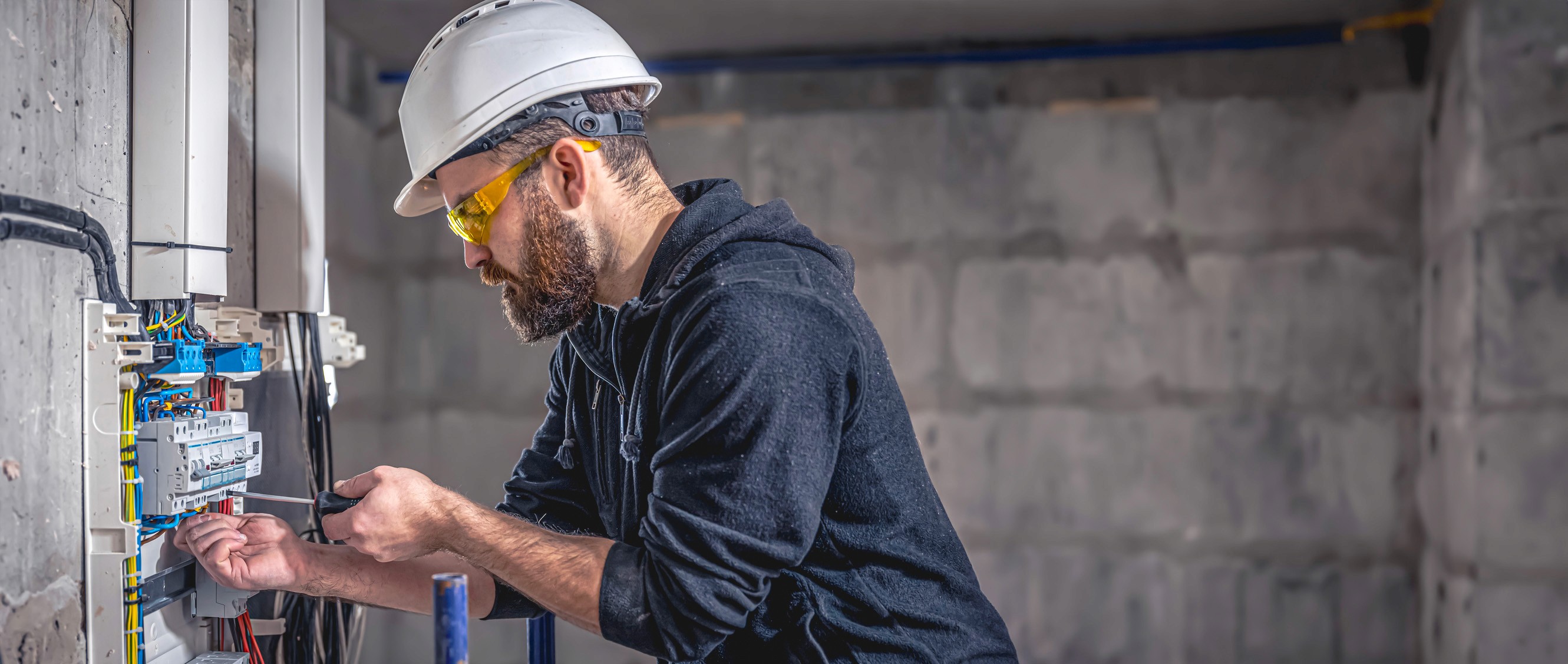
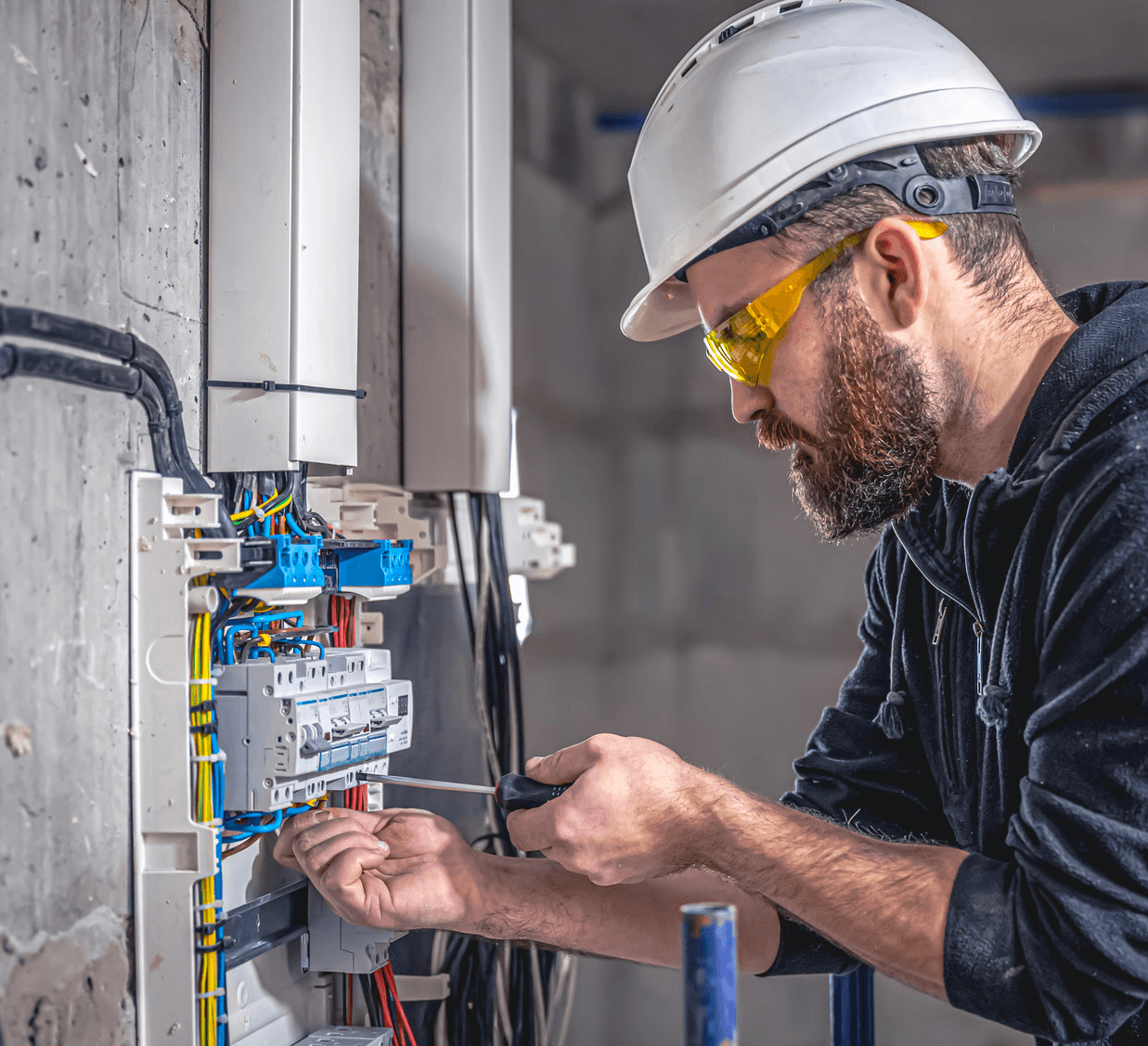
Electrician wiring a consumer unit during a Dazebox wallbox installation
We install it for you

After a free site survey, our certified installation partners will take care of installing your new Dazebox One.

Dazebox One: home EV charging, without compromise

Dazebox One: home EV charging, without compromise

With Dazebox One, charging at home feels natural. Schedule charging whenever it suits you, manage everything from the app and make the most of the energy your solar system produces. A connected, complete solution, designed to fit your home and your habits.

With Dazebox One, charging at home feels natural. Schedule charging whenever it suits you, manage everything from the app and make the most of the energy your solar system produces. A connected, complete solution, designed to fit your home and your habits.

Dazebox One wall-mounted at home, charging a red electric car
Everything under control

Plug in your car and choose how to charge.
With Dazebox One you can schedule sessions, manage them remotely and optimise the energy available, every day.

Dazebox One wall-mounted at home, charging a red electric car
Everything under control

Plug in your car and choose how to charge.
With Dazebox One you can schedule sessions, manage them remotely and optimise the energy available, every day.

Dazebox One wall-mounted at home, charging a red electric car
Everything under control

Plug in your car and choose how to charge.
With Dazebox One you can schedule sessions, manage them remotely and optimise the energy available, every day.

House with rooftop solar panels and an electric car in the driveway
Smart energy management

With our Load Balancing system, you no longer have to worry about household consumption or about balancing several chargers. And if you have a solar PV system, you can choose to charge your car with solar energy only, maximising efficiency and self-sufficiency.

House with rooftop solar panels and an electric car in the driveway
Smart energy management

With our Load Balancing system, you no longer have to worry about household consumption or about balancing several chargers. And if you have a solar PV system, you can choose to charge your car with solar energy only, maximising efficiency and self-sufficiency.

House with rooftop solar panels and an electric car in the driveway
Smart energy management

With our Load Balancing system, you no longer have to worry about household consumption or about balancing several chargers. And if you have a solar PV system, you can choose to charge your car with solar energy only, maximising efficiency and self-sufficiency.

House with rooftop solar panels and an electric car in the driveway
Smart energy management

With our Load Balancing system, you no longer have to worry about household consumption or about balancing several chargers. And if you have a solar PV system, you can choose to charge your car with solar energy only, maximising efficiency and self-sufficiency.

MyDaze web portal on a laptop next to the Daze app on a smartphone
Not just an advanced app, but a portal for apartment buildings too

MyDaze is the ideal portal for managing multiple charging points in an apartment building, giving you complete control. The Daze app lets you monitor and manage your Dazebox easily, wherever you are.

Italian design, Daze technology

Dazebox One is born from the meeting of design, technology and Italian industrial expertise. Every detail is designed to fit into the spaces of your home and to deliver a charging experience that is reliable, intuitive and built to last.

Compare the Dazebox range

Compare the Dazebox range

Need advice?

Dazebox One
Dazebox One
Dazebox Pro
Dazebox Pro
Dazebox Share charging station
Dazebox Share
On-board interface
Status
LED
4.3" LCD
touch display
LED Matrix
display
Charging scheduling

Technical specifications

Product codes:

DN01IT32M5, DN01IT32M7, DN01IT32T5, DN01IT32T7

General specifications

• Dimensions: 200 x 356 x 110 mm
• Weight: ~5 kg (single-phase) / ~6 kg (three-phase)
• Installation: wall-mounted or on a support
• Operating temperature: from -30 °C to +55 °C
• Charging mode: Mode 3
• IP protection rating: IP56
• IK protection rating: IK10

Electrical specifications

• Phase: available in both single-phase and three-phase
• Rated current: adjustable from 6.5 A to 32 A
• Maximum power: 7.4 kW single-phase / 22.2 kW three-phase
• Connector cable length: 5 m / 7 m

Features

• Connectivity: Bluetooth and WiFi
• Ethernet: 1 port
• Load Balancing: up to 8 chargers
• Self-consumption mode: yes
• Charging scheduling: yes
• RFID reader: no
• Upstream relay: yes
• OCPP 1.6 Json interoperability: yes

Unmatched customer support

4.6

Trustpilot logo

We have an in-house team dedicated to supporting you at every stage of your purchase, and we are the charging system manufacturer with the highest rating on Trustpilot.

Our customers love us

GD

21 Aug 2026

Extremely knowledgeable, punctual and helpful customer service. Both by email and by phone they guided me step by step through setting up the charging post.

GD

21 Aug 2026

Extremely knowledgeable, punctual and helpful customer service. Both by email and by phone they guided me step by step through setting up the charging post.

Giuseppe D.

21 Aug 2026

Interesting product, easy to install and configure.

Chiara

23 Jul 2026

Daze got in touch with me extremely quickly, and in less than half an hour an installer contacted me too.
Really efficient. Excellent value for money.

Andrea

18 Jun 2026

I asked for technical support with a problem and they replied straight away, clearly and professionally.

Marco C.

4 May 2026

They replied to me online right away, I booked a phone appointment and they explained everything clearly. Excellent support!

GD

21 Aug 2026

Extremely knowledgeable, punctual and helpful customer service. Both by email and by phone they guided me step by step through setting up the charging post.

Are you an installer?

Are you an installer?

Become a Daze partner

Become a Daze partner

Find new customers

Take advantage of the chance to generate revenue from customers who ask you to install a Daze charging station, and from the customers we refer to you directly.

Premium customer support

Our experts are ready to assist you, helping you resolve any issue quickly and ensuring high-quality service for your customers.

Daze certified installer carrying a tool bag

Not sure which solution fits your needs?

Not sure which solution fits your needs?
Two people walking past a Dazebox wallbox in a covered parking area

01

Is Dazebox One compatible with my car?

Yes, if your electric or plug-in hybrid car supports AC charging with a Type 2 connector, the European standard. Dazebox One has a 5 or 7 m integrated cable with a Type 2 connector, so you don't need a separate cable. It is available in single-phase and three-phase.

01

Is Dazebox One compatible with my car?

Yes, if your electric or plug-in hybrid car supports AC charging with a Type 2 connector, the European standard. Dazebox One has a 5 or 7 m integrated cable with a Type 2 connector, so you don't need a separate cable. It is available in single-phase and three-phase.

01
Is Dazebox One compatible with my car?

Yes, if your electric or plug-in hybrid car supports AC charging with a Type 2 connector, the European standard. Dazebox One has a 5 or 7 m integrated cable with a Type 2 connector, so you don't need a separate cable. It is available in single-phase and three-phase.

02

Can I charge my car with the surplus from my solar PV system?

Yes. In Self-consumption mode, Dazebox One adjusts charging to the excess solar energy that would otherwise be fed into the grid. You need the Power Meter accessory (called Power Manager in the app), which measures the power exchanged with the grid in real time. The function works with inverters of any brand: the wallbox does not communicate directly with the inverter, it uses the Power Meter's readings. The system must feed its surplus into the grid and the Power Meter must be correctly installed and configured. With a Daze solar system with Helio inverter and EMS, the EMS coordinates charging and also provides the Solar Only and Boost modes.

02

Can I charge my car with the surplus from my solar PV system?

Yes. In Self-consumption mode, Dazebox One adjusts charging to the excess solar energy that would otherwise be fed into the grid. You need the Power Meter accessory (called Power Manager in the app), which measures the power exchanged with the grid in real time. The function works with inverters of any brand: the wallbox does not communicate directly with the inverter, it uses the Power Meter's readings. The system must feed its surplus into the grid and the Power Meter must be correctly installed and configured. With a Daze solar system with Helio inverter and EMS, the EMS coordinates charging and also provides the Solar Only and Boost modes.

02
Can I charge my car with the surplus from my solar PV system?

Yes. In Self-consumption mode, Dazebox One adjusts charging to the excess solar energy that would otherwise be fed into the grid. You need the Power Meter accessory (called Power Manager in the app), which measures the power exchanged with the grid in real time. The function works with inverters of any brand: the wallbox does not communicate directly with the inverter, it uses the Power Meter's readings. The system must feed its surplus into the grid and the Power Meter must be correctly installed and configured. With a Daze solar system with Helio inverter and EMS, the EMS coordinates charging and also provides the Solar Only and Boost modes.

03

How much surplus is needed for Self-consumption charging to start?

What counts is the available surplus, i.e. the power the system is feeding into the grid, not the total production of the panels. With single-phase charging the minimum power is 1.5 kW: charging starts with a surplus of just under 2 kW as a guideline, because a small margin is added to the minimum to avoid continuous starts and stops. With three-phase charging the threshold is about three times higher. If the surplus drops below the threshold, charging is put on hold and the app shows that it is waiting for solar power; it resumes when the surplus is sufficient again.

03

How much surplus is needed for Self-consumption charging to start?

What counts is the available surplus, i.e. the power the system is feeding into the grid, not the total production of the panels. With single-phase charging the minimum power is 1.5 kW: charging starts with a surplus of just under 2 kW as a guideline, because a small margin is added to the minimum to avoid continuous starts and stops. With three-phase charging the threshold is about three times higher. If the surplus drops below the threshold, charging is put on hold and the app shows that it is waiting for solar power; it resumes when the surplus is sufficient again.

03
How much surplus is needed for Self-consumption charging to start?

What counts is the available surplus, i.e. the power the system is feeding into the grid, not the total production of the panels. With single-phase charging the minimum power is 1.5 kW: charging starts with a surplus of just under 2 kW as a guideline, because a small margin is added to the minimum to avoid continuous starts and stops. With three-phase charging the threshold is about three times higher. If the surplus drops below the threshold, charging is put on hold and the app shows that it is waiting for solar power; it resumes when the surplus is sufficient again.

04

Can Dazebox One switch automatically from three-phase to single-phase charging?

Yes, on the three-phase versions: just enable reduced-power charging in the Minimum charging power setting of the Daze app. When the available power is not enough to charge in three-phase, Dazebox One automatically switches to single-phase charging, which requires a lower minimum power. The function can also be used in Self-consumption mode.

04

Can Dazebox One switch automatically from three-phase to single-phase charging?

Yes, on the three-phase versions: just enable reduced-power charging in the Minimum charging power setting of the Daze app. When the available power is not enough to charge in three-phase, Dazebox One automatically switches to single-phase charging, which requires a lower minimum power. The function can also be used in Self-consumption mode.

04
Can Dazebox One switch automatically from three-phase to single-phase charging?

Yes, on the three-phase versions: just enable reduced-power charging in the Minimum charging power setting of the Daze app. When the available power is not enough to charge in three-phase, Dazebox One automatically switches to single-phase charging, which requires a lower minimum power. The function can also be used in Self-consumption mode.

05

Does it work if I have a home battery?

Yes. In a configuration that gives priority to storage, the home battery is charged first; Dazebox One uses the surplus that the system makes available to the grid. In the Daze solar system with Helio inverter and EMS, the Solar Only mode lets you give priority to charging the car over the battery.

05

Does it work if I have a home battery?

Yes. In a configuration that gives priority to storage, the home battery is charged first; Dazebox One uses the surplus that the system makes available to the grid. In the Daze solar system with Helio inverter and EMS, the Solar Only mode lets you give priority to charging the car over the battery.

05
Does it work if I have a home battery?

Yes. In a configuration that gives priority to storage, the home battery is charged first; Dazebox One uses the surplus that the system makes available to the grid. In the Daze solar system with Helio inverter and EMS, the Solar Only mode lets you give priority to charging the car over the battery.

06

How does Load Balancing work?

Load Balancing adjusts the power used for charging to stay within the supply limit set during configuration. With the Power Meter, Dazebox One adapts the charging power to the household consumption in real time; without the Power Meter a fixed limit is set. With several wallboxes on the same supply, Dazebox One configured as master can coordinate up to 8 wallboxes in total, itself included. Without the Power Meter, the system distributes the power among the wallboxes within a set overall limit. With the Power Meter connected to the master, the total power available for charging also adapts to the household consumption.

06

How does Load Balancing work?

Load Balancing adjusts the power used for charging to stay within the supply limit set during configuration. With the Power Meter, Dazebox One adapts the charging power to the household consumption in real time; without the Power Meter a fixed limit is set. With several wallboxes on the same supply, Dazebox One configured as master can coordinate up to 8 wallboxes in total, itself included. Without the Power Meter, the system distributes the power among the wallboxes within a set overall limit. With the Power Meter connected to the master, the total power available for charging also adapts to the household consumption.

06
How does Load Balancing work?

Load Balancing adjusts the power used for charging to stay within the supply limit set during configuration. With the Power Meter, Dazebox One adapts the charging power to the household consumption in real time; without the Power Meter a fixed limit is set. With several wallboxes on the same supply, Dazebox One configured as master can coordinate up to 8 wallboxes in total, itself included. Without the Power Meter, the system distributes the power among the wallboxes within a set overall limit. With the Power Meter connected to the master, the total power available for charging also adapts to the household consumption.

07

How do I manage Dazebox One remotely?

With the Daze app for smartphones and tablets and with the MyDaze web portal you can start and schedule charging, choose the mode and view your consumption history. The initial setup is done from the app via Bluetooth; for remote control Dazebox One connects to the internet via WiFi (2.4 GHz) or Ethernet cable. Even without an internet connection you can manage it from the app via Bluetooth when you are near the wallbox.

08

How long does it take to charge the car?

It depends on the power of the wallbox, the power available from the meter and the maximum power the car accepts. For example, recharging 50 kWh at 7.4 kW takes about 7 hours in theory; in practice it may take longer. In Self-consumption mode, the time also depends on the solar surplus available during the session.

09

Where is Dazebox One made and what warranty does it have?

Dazebox One is designed and manufactured in Italy by Daze, based in Almenno San Bartolomeo (Bergamo). The warranty is 2 years, with a paid extension available.